Guide · AI lead-capture chatbot
Do You Need an AI Chatbot on Your Website? A Small Business Guide
How a website chatbot turns visitors into leads, the difference between guided flows and AI answers, and how to set one up honestly, safely and usefully.
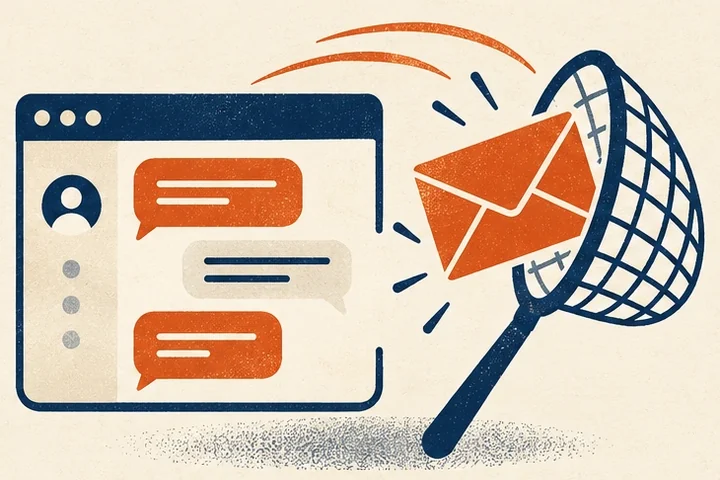
Most people who visit a small business website leave without calling or filling in a form. Some found what they needed. Many had one quick question, such as “Do you work in my area?”, “How much does this roughly cost?” or “Can you come this week?”, and didn’t feel like phoning to ask.
A website chatbot can catch some of those people. Done badly, it’s an annoying pop-up that invents answers. Done well, it’s a polite assistant that answers the quick question and hands you a lead with the details you need. Here’s how to tell the difference.
What a lead-capture chatbot actually does
A good small business chatbot does three things:
- Answers common questions using information you’ve approved: services, areas, hours, rough pricing, what happens next.
- Asks a few qualifying questions: what the visitor needs, where they are, how soon.
- Collects contact details and sends you the lead immediately, with the answers attached.
For a plumber, that might mean a 10pm visitor with a leaking water heater leaves their name, number, zip code and a description, and the plumber sees it first thing in the morning. For a family law firm, it might be someone who wants to know whether the firm handles custody cases in their county before booking a consultation. For a restaurant, it’s a group booking enquiry that would otherwise have gone to the place down the road.
Guided flows vs AI answers
There are two broad approaches, and the best setups combine them.
Guided flows
The chatbot offers buttons and short questions in a set order: “What do you need help with?” then “What’s your zip code?” then “How soon?” then “What’s the best way to reach you?” There’s no AI involved and no risk of it saying something wrong. Guided flows are reliable, fast and surprisingly effective, because most visitors want the same few things.
AI answers
An AI model reads the visitor’s question and writes a reply. This handles questions you didn’t anticipate, but it carries a real risk: AI models can produce confident, wrong answers. A chatbot that quotes a price you don’t offer or promises a same-day visit you can’t make creates problems for you.
The sensible combination
Use a guided flow as the backbone. Add AI answers only where they help, and limit them to your own approved content: your service pages, price ranges, FAQs and policies. When the AI isn’t confident, it should say so and offer to take the visitor’s details for a callback. That fallback is what keeps it honest.
Rules for running a chatbot well
Be clear it’s a bot
Don’t give the chatbot a human name and photo and let visitors think they’re talking to a person. Say it’s an automated assistant and that a real person will follow up. People are fine with that, and it avoids an awkward moment when they realise. Some states have rules about disclosing bots in certain situations, which is another reason to be upfront.
Keep it out of sensitive territory
A chatbot shouldn’t give legal, medical or financial advice. A clinic’s assistant can explain how to book and what insurance is accepted, but symptom questions should go to staff. A law firm’s assistant can collect the basics of an enquiry but must avoid anything that looks like legal advice. Write those boundaries into the setup.
Don’t be pushy
One gentle prompt after a visitor has shown interest (scrolled a page, spent some time) is enough. Chat windows that pop open the instant a page loads, cover content on a phone or reappear after being closed drive people away.
Route leads instantly
A lead that sits unread for two days is a wasted lead. Send each conversation where you’ll see it: email, a CRM, a Slack channel or a text. Include everything the visitor said so you can respond with a useful first message instead of “How can we help?”
Mention it in your privacy notice
A chatbot collects personal information. Your privacy notice should explain what’s collected, why, where it’s sent and how long it’s kept. If you use a third-party AI provider, say so.
Make it accessible
The chat window should work with a keyboard and screen readers, have readable contrast, and be easy to close.
Measuring whether it’s working
Track the chatbot as a lead source in your analytics: how many conversations start, how many reach the contact step, and how many become paying customers. Compare that with your form and phone leads. Read the transcripts monthly too; the questions people ask are a gold mine for new website content, which feeds back into your SEO. Our guide to what a good SEO report looks like shows how lead sources fit into a monthly report.
Does a chatbot help SEO?
Not directly. Google doesn’t rank pages higher because they have a chat widget. A chatbot can hurt if it slows your pages down, so it should load after the main content (see Core Web Vitals explained). The indirect benefit is real, though: chat transcripts tell you exactly which questions your pages aren’t answering.
Is it worth it for your business?
A chatbot tends to make sense if you get regular website traffic, if visitors often arrive outside business hours, or if you lose leads because enquiries lack the details you need to quote. If your site gets very little traffic, fix visibility first.
Our Growth plan includes a guided lead-capture chatbot with answers from your FAQs, and Authority adds a chatbot trained on your services with calendar booking and CRM hand-off. See the AI chatbot service for how it works, or compare plans on our pricing page.