Guide · SEO audit
Why Did My Website Traffic Drop? A Calm, Step-by-Step Diagnosis
Organic traffic fell and you don't know why. Here's how to tell a tracking glitch from a Google update, a technical fault, seasonality or a redesign gone wrong.
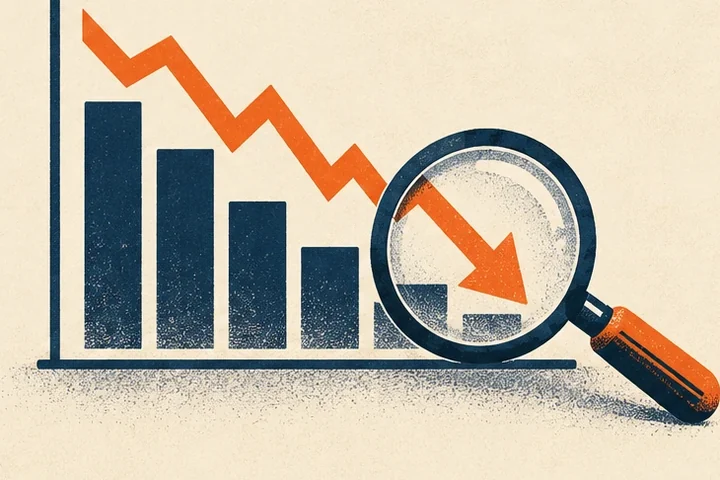
A traffic chart that suddenly points downhill is stressful, especially when leads dry up with it. The worst response is to start changing things at random. The best is a short, methodical diagnosis.
This guide follows the same order Google recommends in its own guide to debugging Search traffic drops, translated for business owners.
Step 1: Make sure the drop is real
Plenty of “traffic drops” are measurement problems:
- Analytics tag removed or broken. A theme update, a new cookie banner or a plugin change can stop analytics from firing. If Analytics shows a cliff but Search Console doesn’t, suspect tracking.
- Data annotations. Search Console sometimes notes data anomalies or logging issues on its charts. Check for them.
- Comparing the wrong periods. A December-versus-November comparison for a pool company isn’t a drop; it’s winter.
Search Console is your source of truth for Google traffic. If it shows clicks and impressions holding steady, the problem is in your tracking, not your rankings.
Step 2: Find the shape of the drop
In Search Console’s Performance report:
- Set the date range to the full 16 months so you can see last year’s pattern.
- Use Compare to put the drop period beside the previous period and the same period last year.
- Filter by page, query, country and device to see where the loss is concentrated.
The pattern usually points to the cause:
| Pattern | Likely cause |
|---|---|
| Whole site dropped overnight | Technical problem, noindex, robots block, hack, or a manual action |
| Gradual decline over weeks | Competitors improving, content ageing, a ranking update |
| One section or a few pages | Changes to those pages, lost redirects, cannibalization |
| Impressions steady, clicks down | Search results changed (more ads, AI Overviews, map packs), or your titles got worse |
| Same dip as last year | Seasonality |
| Only mobile | Mobile usability or speed issue |
Step 3: Check impressions vs. clicks
This is the most useful single split.
- Impressions fell: you’re being shown less. That’s a ranking or indexing problem.
- Impressions held, clicks fell: you’re still being shown, but fewer people click. Look at what the results page looks like now for your key searches. Is an AI Overview answering the question above you? Did more ads appear? Is your title still compelling? We cover the AI side in AI Overviews and your small business.
Step 4: Rule out technical faults
In Search Console:
- Pages (indexing) report: a jump in “Not indexed” or “Excluded by noindex” is a red flag.
- Crawl stats: spikes in server errors or failed robots.txt fetches mean Google couldn’t reach you.
- URL Inspection: test a page that lost traffic. Is it still indexed? Is the canonical what you expect?
Recent website changes are the most common culprit for small businesses. A new theme, a hosting move, or a redesign that changed URLs without redirects will do it. If that sounds familiar, see our redesign SEO checklist.
Step 5: Check for manual actions and security issues
Open Security & Manual Actions in Search Console. A hacked site can be flagged with warnings or removed; a manual action for spam can demote pages. Both come with explanations and a reconsideration process once fixed.
Step 6: Was there a Google update?
Google publishes confirmed core and spam updates on its Search Status Dashboard. If your drop lines up with one, and there’s no technical cause, Google’s guidance is to look honestly at whether your content is the most helpful result for the searches you lost, not to chase quick fixes.
Ask the hard questions. Is the page out of date? Is it generic, the kind of article any business could have written? Does it show real experience? Is there a better page on another site that answers the question faster?
Step 7: Check the wider market
Use Google Trends on your main searches. If interest in “solar panel installation” fell across your state, your traffic falling with it is about demand, not your site.
Step 8: Give fixes time
Some fixes show results within days, such as removing an accidental noindex tag. Others, like improving content after a core update, can take months to be reflected. Make one set of changes, note the date in your reporting, and reassess after a few weeks.
What not to do
- Don’t delete large amounts of content in a panic.
- Don’t buy links or “recovery packages.”
- Don’t change URLs without redirects.
- Don’t assume it’s a penalty. Real manual actions are listed in Search Console.
Need a second pair of eyes?
A traffic drop is exactly what an SEO audit is for. We review your Search Console history, crawl the site, and give you a ranked list of causes and fixes. You can also start with the free audit preview to rule out the obvious technical blockers.